AI is revolutionizing audio for creators, filmmakers, podcasters, and game makers. What used to be a separate unit to record and edit can now be done starting with a simple prompt. Modern AI systems can create speech, music, ambience, and effects with more control over these aspects.
How AI Audio Generation Works
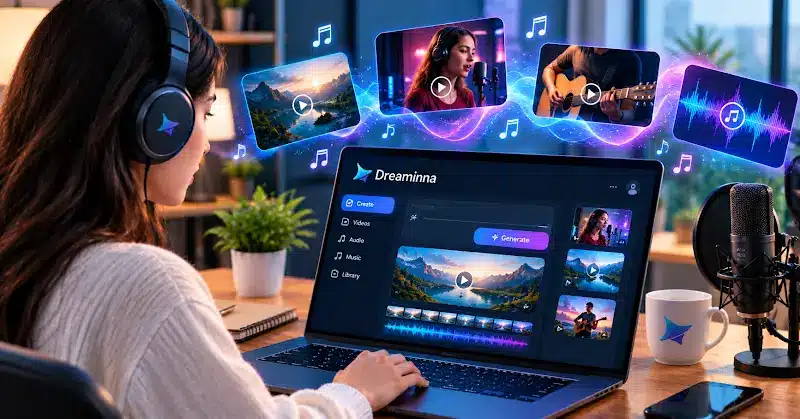
Seedaudio 2.0 represents this newer approach by combining dialogue, music, ambience, and sound effects in a connected workflow. Creators can use Dreamina to explore Seedaudio 2.0 and experiment with realistic voices, music, ambience, and sound effects in one creative workflow. Instead of creating each element separately, creators can describe an entire scene and guide how its sound layers work together.
More Realistic Voices and Dialogue
Previous TTS systems tended to sound robotic, since they paid little attention to the naturalness of speech. The emotion, pacing, rhythm, accent, and expressive delivery of the text are generally more natural with the newer AI models. Seedaudio 2.0 enables making use of the text prompt hints and supported reference input to influence vocal production. Useful when producing podcasts, ads, movies, games, and stories – when dialogue should be in sync with the scene.
AI-Generated Music for Creative Projects
Next-generation AI can also generate music based on a description of genre, tempo, instruments, mood, or purpose of the music. A creator may ask for something soft to play at a documentary film, something dramatic for an opening to a film, or something upbeat for an advertising clip, or something else.
All this means that experimentation gets quicker. Creators can experiment with multiple sounds and music styles in their video to see which one works best for them and their video, to boost video production. After tasting a number of music directions, the creator can choose a sound or music direction that is suitable for the video to support the content of the video. Although tracks are generated, human work still plays an important role, as they may require edits or mixing.
Build Complete Soundscapes

You can’t just record a voice and a song in realistic audio. Other elements to convince a scene may require footstep movement, traffic, wind, rain, and/or other environmental elements. Seedaudio 2.0 is designed to support scene-based audio generation with both workflows of Text-based and Reference-based. There is also published literature on modes that are described using voice or video references to assist with “following” a desired voice or video context.
Faster Production with Human Control
While AI can minimise repetitive tasks in the field of sound recording, it cannot take the place of creativity. There is still work to be done by the users for review, correction of issues, and refinement of the final mix. Resources like Seedaudio 2.0 can come in handy during times when creators have several ideas for their audio but need to test them all rapidly. They’re available for concept testing, dubbing, narration, both ads and video scenes for games, as well as podcasts and short videos.
Use AI Audio Responsibly
Use audio that has been made using realistic sounds carefully. Creators should not include the voice of a person from whom they have not received permission to use, produce, or show a voice-acting audio version of content, or use as reference material something they do not have the business rights to. Also, it is essential to thoroughly review AI outputs before publication, as they can present unexpected or unsuitable information. With proper usage, Seedaudio 2.0 and systems like that may increase the possibilities and flexibility of sound generation while not taking humans out of the picture.
FAQs
What can next-generation AI audio tools create?
They can create voiceovers, dialogue, music, ambience, environmental sounds, and sound effects using prompts and/or supported reference material.
Can AI Create Realistic Background Music?
Yes. The user can provide descriptions of genre, mood, tempo, instruments, and purpose to influence the music produced.
Is AI-Generated Audio Useful for Videos?
Yes. This can be used for background music, sound effects, narration, dubbing, film, advertising, and videos on social media.
Do I Need Audio Editing Experience?
Not always. Prompt-based generation is a fairly straightforward way to get the first step accomplished, but editing can still come in handy in fine-tuning and blending.
Can Generated Voices Be Used Commercially?
Commercial terms are subject to each platform and set of terms chosen by each account. Check the licence for any other voices or protected reference material and ask for permission before using another person’s voice or protected reference material.
Conclusion
The creation of professional-quality audio recording is becoming on par with that of any user with the second generation of AI. A few basic creative instructions can create voices, music, ambience, effects, and decrease manual production. Thoughtful prompts, careful review, responsible use, and human creativity still yield the best results. If leveraged effectively, AI can become a potent creative ally to modern sound creation.